
Guide
Playback Speed in SmartTube: Watch Faster Without Missing the Plot
Playback speed in SmartTube runs from 0.25x to 2x with natural voices. Use 1.25x or 1.5x for talks and tutorials, and normal speed for films.

Contents On this page
Playback speed is the SmartTube feature that quietly saves the most time. Talks, tutorials and podcasts play well at 1.25x or 1.5x, voices stay natural, and an hour long video finishes in forty minutes. This guide covers the speeds, what suits each kind of video, and the habits that keep fast watching comfortable. The feature list is on the SmartTube for Android TV home page.
The speed range
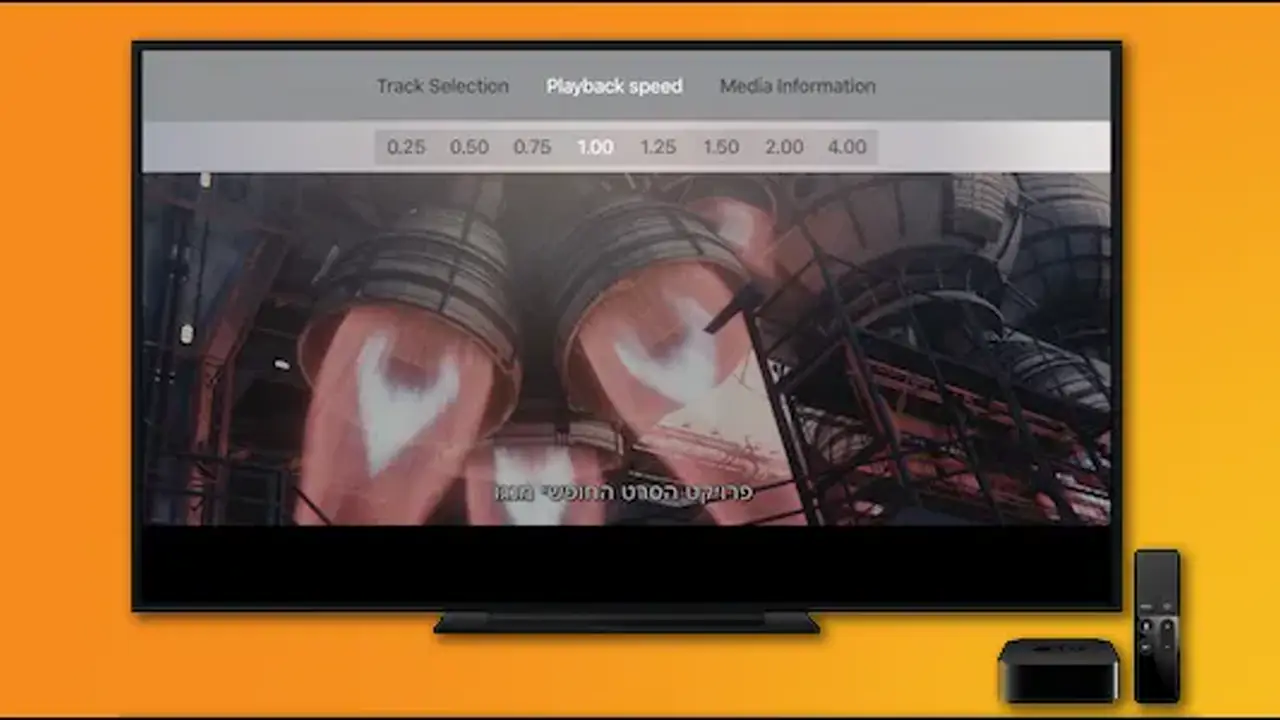
SmartTube offers speeds from 0.25x to 2x. The slow end suits language learning and close study of a scene, where every word matters. The fast end suits talks and podcasts, where the ideas matter more than the pauses. Normal speed sits in the middle, and it is the right choice for anything made to be watched at normal speed.
Why voices stay natural
SmartTube keeps the pitch steady as the speed changes, so a speaker at 1.5x sounds like the same person talking faster, not like a cartoon. This is what makes fast watching comfortable for an hour at a time. Without it, the ear tires quickly, and the time saved is not worth the strain.
Best speeds for talks and tutorials
Talks and lectures suit 1.25x for a first watch and 1.5x for a second pass or a familiar speaker. Tutorials suit 1.25x while you follow along, because your hands need time to catch up with the screen. Podcasts suit 1.5x, since the content is mostly voice and the pauses carry little information. If you find yourself rewinding, drop the speed one step rather than fighting it.
What to leave at normal speed
Films, dramas, music and comedy stay at normal speed, because timing is part of the work. A joke lands on its pause, a song lives in its tempo, and a tense scene needs its silence. Speeding those up saves minutes and loses the reason you watched. Documentaries are the middle ground: 1.25x works for narration heavy ones, normal speed for the rest.
Changing speed mid video
Open the player settings during playback and pick a new speed. The video keeps playing, the change applies instantly, and the speed sticks for the session. This is useful when a talk drags in the middle: bump it to 1.5x for the slow stretch, then drop back for the ending. The remote shortcuts guide shows the fastest way to reach the player settings.
Speed and SponsorBlock together
Speed and SponsorBlock combine well. SponsorBlock removes the sponsor reads, and speed shortens the rest, so a long talk becomes a short one without losing its ideas. The two features never fight, because the skip happens first and the speed applies to what remains. Together they are the reason many people never go back to the YouTube app on TV.
When fast watching tires you out
Fast watching is a habit, not a race. If your attention slips, the speed is too high, not your focus too weak. Drop to 1.25x, or back to normal speed for the evening, and the video becomes enjoyable again. The goal is more videos finished with attention, not more videos started in a hurry.
Conclusion
Playback speed in SmartTube is a tool for talks and tutorials, not a setting for everything. Use 1.25x or 1.5x where the ideas matter more than the pauses, leave films and music alone, and drop a step the moment your attention slips. The time saved is real, and so is the attention it protects.
Quick Answers
What playback speeds does SmartTube offer?
From 0.25x to 2x, with natural sounding voices. The speed sticks for the session and can change mid video.
Is 1.5x too fast for tutorials?
It depends on the tutorial. Try 1.25x while you follow along, and 1.5x only for a second pass or a familiar topic.
Does playback speed affect music?
Music should stay at normal speed. Changing the speed changes the tempo, which is part of the song.
Does the speed setting stay between videos?
It sticks for the session. Check the speed when you start a film, so a talk speed does not carry into it.